May 26, 2026 • Declan Harte • 9 min reading time • Specs verified June 5, 2026
One Indoor Antenna or Two? How to Match Your Floor Plan to Your Booster Kit
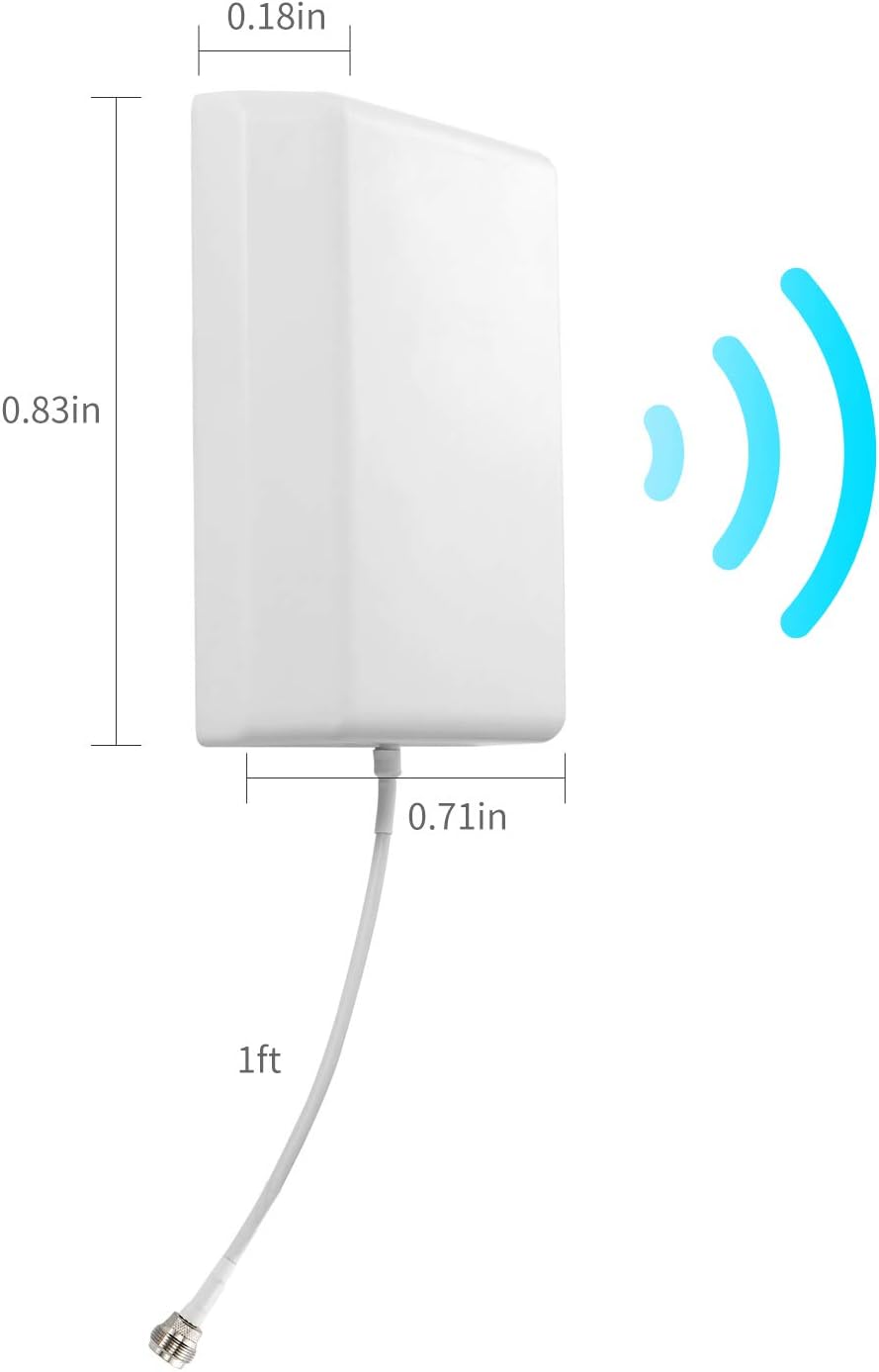
Here’s something that trips up a surprising number of people mid-purchase: the box says your booster covers “up to 5,000 square feet,” and you assume that means you’re done. One unit, one antenna, whole house covered. Then it arrives, you plug it in, and the back bedroom still drops calls. What went wrong? Usually, the answer isn’t the booster’s raw power — it’s how many indoor antennas you’re using and where they’re pointed.
A signal booster is essentially a two-part radio relay: an outdoor antenna captures the weak signal from the nearest cell tower, sends it down a coax cable to an amplifier box (the “booster”), and one or more indoor antennas rebroadcast that amplified signal inside your home. The number of indoor antennas — and where you place them — determines which rooms actually get coverage. Get this right, and a mid-range kit punches well above its price. Get it wrong, and even a premium unit leaves you standing in the hallway for a bar of LTE. This guide gives you a repeatable decision framework so you know exactly how many antennas your floor plan needs before you buy anything.
Why One Antenna Often Isn’t Enough (and Sometimes Is)
A single indoor antenna, properly placed, can cover an open-plan space reliably. The key word is open. Drywall, interior brick, floor joists, and especially low-e window glass all attenuate the rebroadcast signal before it reaches your devices. Industry installers commonly budget a 10–15 dB loss for each interior wall a signal has to penetrate, and another 15–20 dB per floor transition, based on published RF engineering guidelines referenced in Waveform’s pre-sale design guides.
That math matters because your booster’s indoor antenna has a finite output, called downlink gain — roughly how much signal strength it can add above the noise floor in your space. Once the signal has to punch through two or three walls to reach a device, you’ve eaten most of that budget before the phone even sees it.
Where a single indoor antenna works well:
- Open-concept apartments or single-floor condos under ~1,500 sq ft
- Studio or one-bedroom units where dead zones are isolated to one room
- Vehicles, RVs, and boats (a separate but related case — purpose-built kits like the weBoost Drive Reach are designed for single-antenna interior setups in enclosed cabins)
- Barn-to-outbuilding point-of-use scenarios where you just need one workbench covered
Where a single antenna reliably fails:
- Two-story homes, even small ones, because the floor between stories is a brick wall for RF
- Ranch homes longer than ~60 feet end-to-end, where antenna coverage lobes simply don’t reach
- Multi-tenant commercial buildouts where different tenants are on different sides of a corridor
- Any building with an interior concrete core or load-bearing masonry walls
The SureCall EZ 4G, weBoost Home Room, and similar entry-level kits ship with a single indoor panel antenna because their amplifiers are tuned for smaller coverage footprints. That’s fine — but it means the product is correctly scoped, not defective, when it doesn’t cover your whole house.
The Floor-Plan Math: A Practical Sizing Framework
Before you buy, sketch your floor plan and answer three questions:
- How many floors need coverage? Each floor is effectively a separate coverage zone.
- How many RF-barrier walls exist between the booster’s antenna output and your farthest device? Count interior walls (not just exterior) along the signal path.
- What’s the signal environment outside? A strong outdoor signal (−70 dBm or better on your phone’s field test mode) gives the booster more headroom to work with. A weak outdoor signal (−100 dBm or worse) means the amplifier is working harder and has less gain to “spend” on penetrating interior walls.
By the numbers — rough indoor coverage per antenna type:
| Antenna Type | Open Space (no walls) | Through 1–2 Walls | Per-Floor Count |
|---|---|---|---|
| Panel (directional) | ~2,500 sq ft | ~1,000–1,500 sq ft | 1 per zone/floor |
| Dome (omnidirectional) | ~3,000 sq ft | ~1,200–1,800 sq ft | 1 per open floor |
| Low-profile desktop | ~500 sq ft | ~200–300 sq ft | Desktop/desk use only |
These figures are composites drawn from weBoost’s published installation guides and Waveform’s antenna coverage documentation — not guarantees, because outdoor signal strength is the variable nobody controls.
The rule that emerges: plan for one indoor antenna per floor that needs coverage, then add one more for any floor with a complex layout (L-shaped, split-level wings, or multiple enclosed offices). For a two-story home where both floors matter, start at two antennas. For a two-story home with a finished basement, plan for three.
Matching Antennas to Boosters: Compatibility and Port Count
Not every booster can support multiple indoor antennas. This is the part that catches a lot of mid-process buyers off guard, so let’s be direct about it.
Single-output boosters (most consumer entry- and mid-range units) have exactly one coax output port for the indoor side. You can physically split that output with a passive splitter to run two antennas, but every passive split costs you roughly 3.5 dB of signal — enough to noticeably degrade performance in a marginal-signal environment. Reviewers at PCMag have noted this tradeoff specifically in their evaluation of the weBoost Home MultiRoom: the unit’s architecture is designed to run a single dome from a ceiling central point, and splitting dilutes what makes it effective.
Multi-output boosters — sometimes called “distributed” or “enterprise-grade” units — are designed for this. The Wilson Pro 70 Plus, for example, ships with multiple output ports and is spec’d for running several indoor antennas simultaneously without the passive-split penalty. SureCall’s Fusion5X is similarly architected for multi-antenna deployments, which is why facilities managers and IT directors in commercial settings reach for it. The Nextivity Cel-Fi GO X takes a different approach: it’s a single high-gain smart repeater, but its directional output and auto-gain control (which Nextivity calls its “Network Protect” firmware) are engineered to maximize coverage from one antenna point — making it a strong single-antenna choice for difficult outdoor signal environments where raw passive gain matters more than distribution.
Decision checkpoint: If your floor plan requires two or more indoor antennas, you either need a booster with multiple output ports, or you need to accept the splitter penalty and verify your outdoor signal is strong enough to absorb it. At −85 dBm or worse outdoors, a passive split will often make the second antenna nearly useless.
The practical tiers that fall out of this:
- One floor, open layout, decent outdoor signal: Single-output consumer booster (weBoost Home MultiRoom, ~$350 street price in Q2 2026). One dome antenna, central placement.
- Two floors, suburban outdoor signal: Multi-output unit like the Wilson Pro 70 Plus or a professional install of the weBoost Installed Home Complete (~$1,000 installed) — which includes pre-planned antenna placement as part of the install fee. Worth noting: the weBoost Installed Home Complete is the benchmark for a reason. The installation service accounts for antenna count, cable routing, and separation distance in a way that DIY buyers frequently underestimate.
- Weak outdoor signal + multi-floor: Cel-Fi GO X (~$700) or PRO-series Nextivity units, which are purpose-built for marginal-signal environments and carrier-approved (check Nextivity’s published operator approval list — it’s updated quarterly and varies by carrier).
- Commercial multi-tenant or office building: Wilson Pro 70 Plus ($800–$1,200), SureCall Fusion5X, or a passive DAS assessment from a certified installer. This is beyond DIY territory.
Placement Rules That Change Everything
Antenna count is only half the equation. Placement mistakes are, per Waveform’s install documentation and installer community consensus, the cause of the majority of underperforming booster setups.
Separation distance: The outdoor and indoor antennas cannot be too close to each other, or the booster will “hear” its own output and enter oscillation — a feedback loop that forces the amplifier to throttle itself down. FCC Part 20 rules require certified boosters to detect and suppress this automatically, but suppression kills your gain. Follow the manufacturer’s minimum separation specifications (typically 20–50 feet of vertical or horizontal separation, depending on unit and building type). This is not a suggestion.
Panel vs. dome placement: A panel antenna is directional — it sends most of its energy in one direction, like a spotlight. Mount it on a wall and aim it down a long hallway or into the room with the heaviest usage. A dome antenna is omnidirectional — ceiling-mount it in the geometric center of the coverage zone you want to fill. Installers in long-run reviews consistently note that misusing a panel antenna (e.g., mounting it flat on a ceiling where it sprays signal downward into one room instead of along a corridor) is one of the most common single-antenna failures.
Floor-to-floor coverage: Don’t try to cover a second floor with a first-floor antenna through the ceiling. The floor assembly (joists, subfloor, HVAC runs) creates too much attenuation. If the second floor matters, it gets its own antenna — full stop.
The Decision Rule
Here’s where this lands, framed as explicitly as possible:
-
If your floor plan is one floor, open layout, under 2,000 sq ft, and outdoor signal is −85 dBm or better: One indoor antenna, dome type, ceiling-centered. A single-output booster like the weBoost Home MultiRoom is correctly sized.
-
If you have two floors, or a long single floor with multiple enclosed rooms: Plan for two indoor antennas minimum, and verify your booster has native multi-output ports or budget for a professional install that handles the distribution design.
-
If your outdoor signal is weak (−95 dBm or worse on field test mode): Antenna count matters less than amplifier gain. Prioritize a high-gain unit like the Cel-Fi GO X over a multi-antenna lower-gain setup. One excellent antenna in the best position beats three mediocre antennas fed by a throttled amplifier.
-
If you’re speccing a commercial space or a whole-home install above 3,000 sq ft: Get a pre-sale design consultation. Waveform and Powerful Signal both offer this for free and will tell you exactly how many antennas your building needs before you commit. That conversation is worth more than any Amazon price delta.
The antenna count question has a real answer for your specific floor plan — you just have to measure the right variables first. Start with your outdoor signal, count your floors and barriers, and match the booster’s output architecture to the number of zones you actually need to cover. Everything else is details.